Who signs (signer rules)
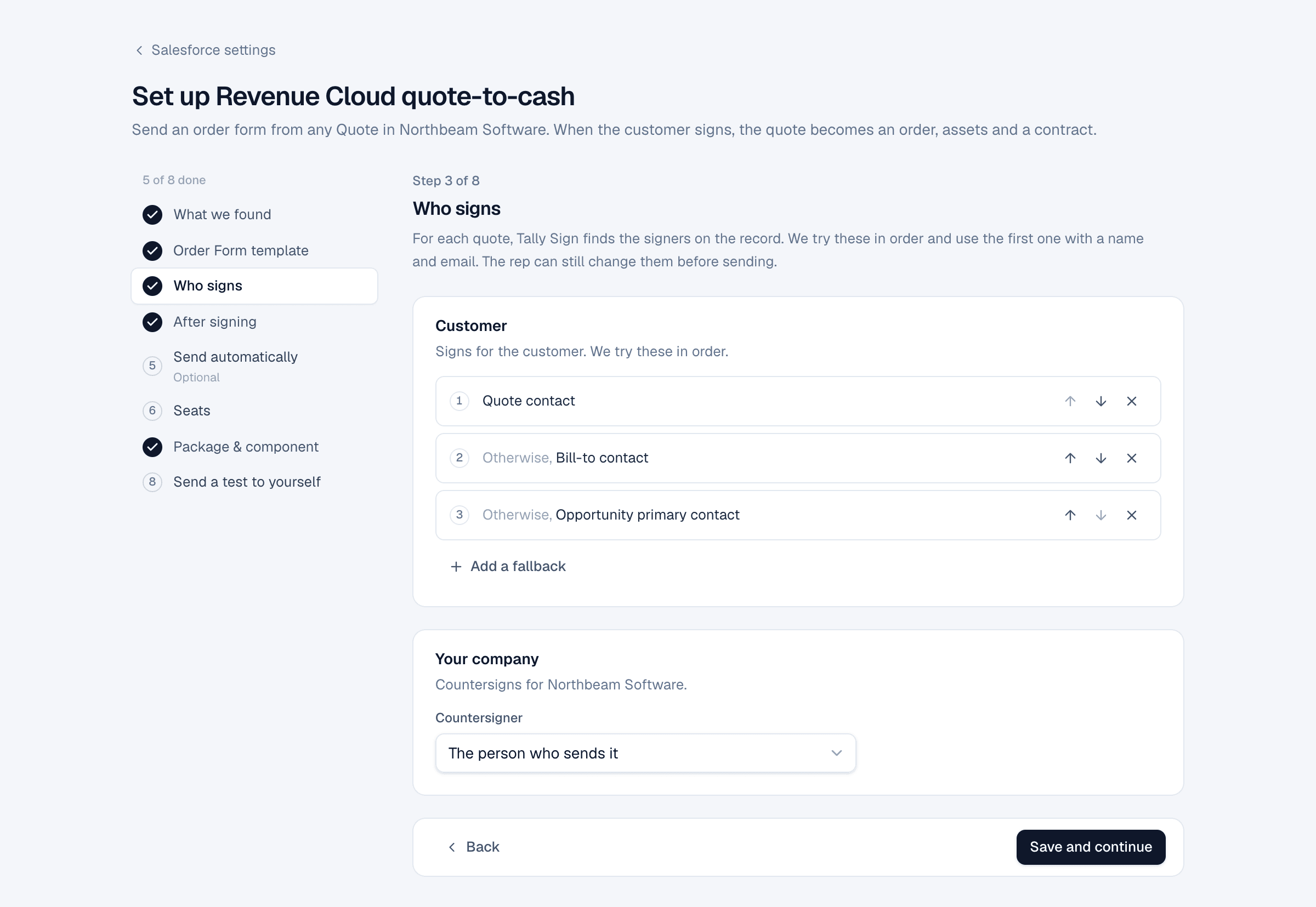
Tell Tally Sign where to find each signer on the record. The first rule that finds a name and email wins.
3 sections · 2 screenshots
How signer rules work
For each role in the template, you list places to look. Tally Sign tries them in order and uses the first one that has a name and an email. The rep can still change the signer before sending.
| Rule | Finds |
|---|---|
| The quote's contact | The Contact on the record |
| Bill-to contact | The Bill To Contact on a Quote or Order |
| Person in a lookup field… | Any contact or user lookup you pick |
| Opportunity primary contact | The primary contact role on the opportunity |
| Contact with role… | The opportunity contact with a role such as Decision Maker |
| Related contact on the account with role… | An account contact relationship with that role |
| The quote's owner, Owner's manager | People at your company |
| Whoever sends it | The sender. Used for your company's signer |
| A specific person | A fixed name and email |
| Choose when sending | Nobody is picked automatically; the sender chooses |
Defaults
| Object | Customer signer, in order |
|---|---|
| Quote | Quote contact → Bill-to contact → Opportunity primary contact |
| Salesforce CPQ quote | Primary contact → Opportunity primary contact |
| Opportunity | Opportunity primary contact |
| Contract | Customer Signed By |
| Order | Bill-to contact → Customer Authorized By |
| Account | Choose when sending |
Your company's signer defaults to Whoever sends it.
Change the signer when sending
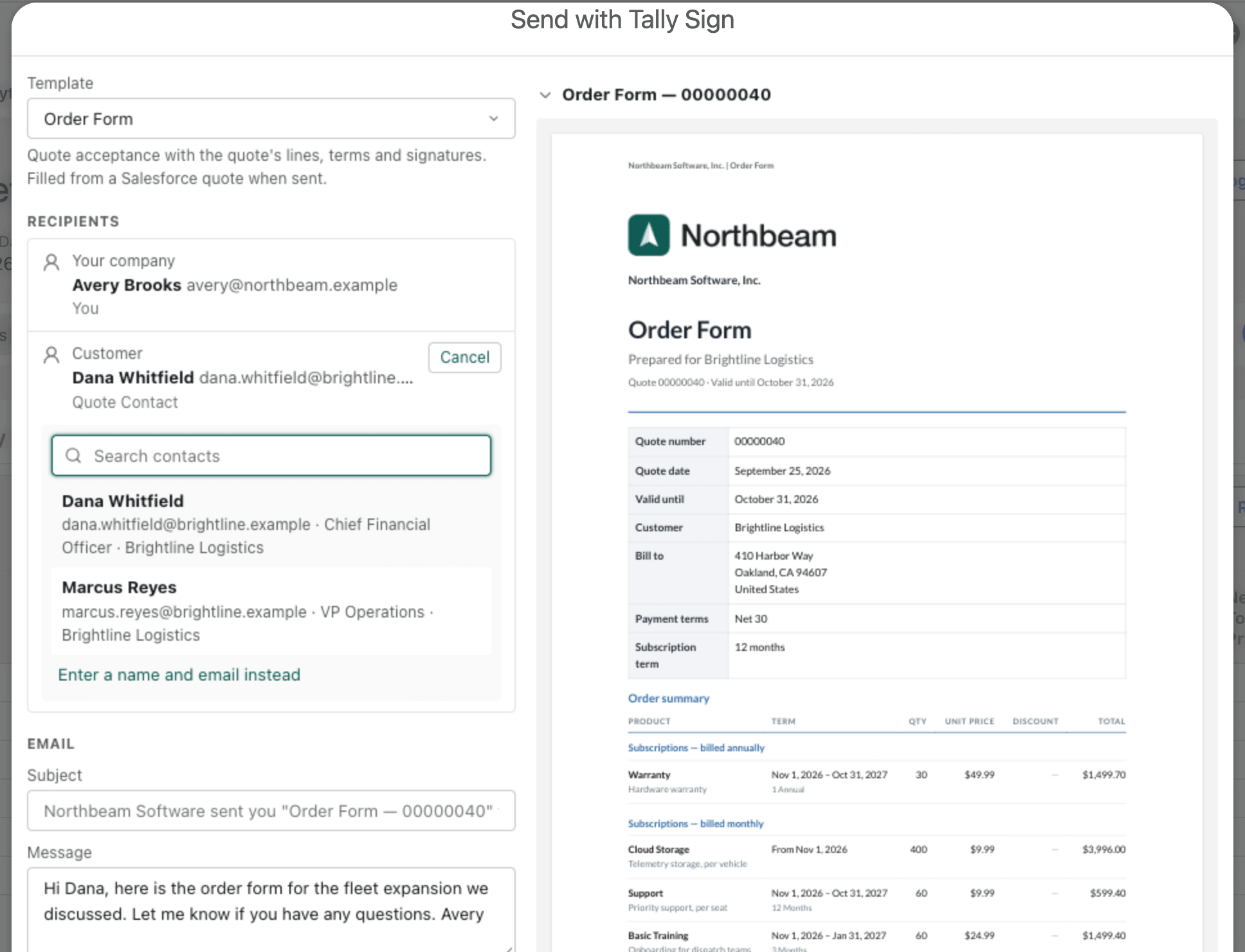
In Send with Tally Sign, the recipients show where each person came from, for example Quote Contact. Choose Change to pick another contact on the account, or Enter a name and email instead.
On the website: Any object·Pricing