Automation rules
Send or draft a document when a Salesforce record changes. Each rule becomes a real Flow in your org.
5 sections · 2 screenshots
An automation rule says: when this kind of record changes like this, send this template. You set rules up in Tally Sign under Settings → Automation, which appears once Salesforce is connected. Only owners and admins can change them.
Create a rule
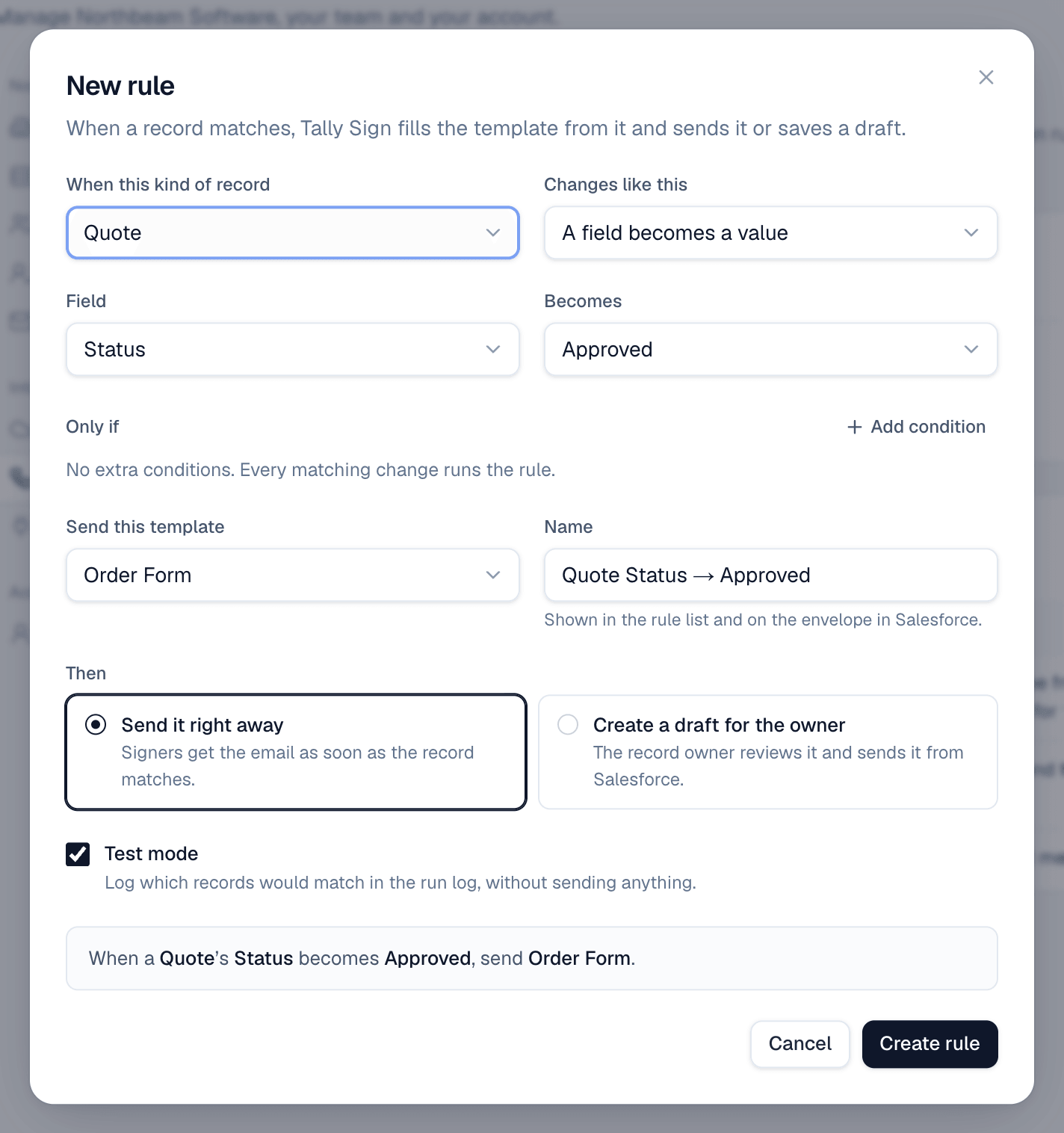
- Open Settings → Automation and choose New rule.
- Under When this kind of record, pick the object, for example Quote.
- Under Changes like this, choose A field becomes a value, It's created or It's updated.
- For A field becomes a value, pick the Field and what it Becomes, for example Status becomes Approved.
- Optional: under Only if, choose Add condition, for example Grand Total is greater than 10,000.
- Pick the template under Send this template and give the rule a Name. The name is shown on the envelope in Salesforce.
- Under Then, choose Send it right away or Create a draft for the owner.
- Leave Test mode on for now and choose Create rule.
Turn it on
A new rule is off. Turn on the switch next to it. Tally Sign deploys a record-triggered Flow to your Salesforce org, which takes up to a minute. The Flow calls the Run Tally Sign automation rule action, which asks Tally Sign to fill and send the document.
Test mode
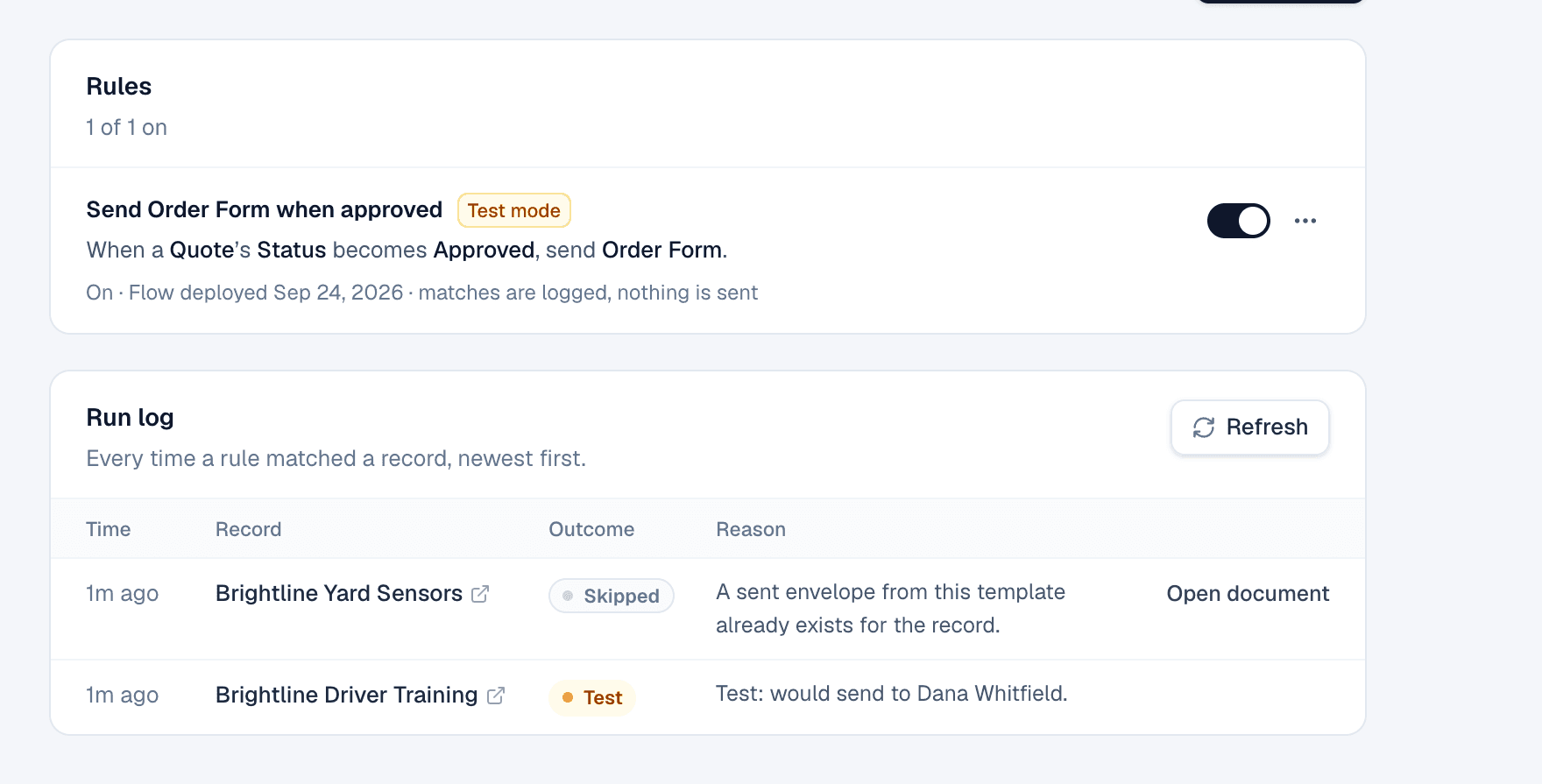
In test mode, the rule runs on every matching change but sends nothing. The Run log shows who would have received the document, for example Test: would send to Dana Whitfield. Leave a rule in test mode for a few days, check the log, then choose Turn off test mode from the rule's menu.
The run log
| Outcome | Meaning |
|---|---|
| Sent | The document went out. The reason lists who got it. |
| Draft | A draft was created, because the rule creates drafts, or because a signer or value was missing. |
| Test | Test mode: what would have happened. |
| Skipped | The record didn't match the conditions, or it already has a document from this template. |
| Error | Something went wrong. The reason says what. |
Filter the log by rule. Open document opens the document a run created or found.
Built-in safety
- No duplicates. If the record already has a draft or sent document from the same template, the run is skipped: A sent envelope from this template already exists for the record.
- No incomplete sends. If no signer is found or a required value is empty, Tally Sign creates a draft instead of sending, and sends the record owner a bell notification: Needs a signer.
- Seats. Automated sends act as the rule's owner, or as the record owner if they have a seat.
- Updates need a condition. A rule on It's updated needs at least one condition, so it doesn't run on every edit.
On the website: Any object·Pricing