Questions, replies and internal notes
How customers ask questions on the signing page, and how your team replies or talks privately.
3 sections · 6 screenshots
Customers rarely sign a contract without asking something first. In Tally Sign they ask on the document itself, pinned to the paragraph they mean, and you answer in the same place. Everything is kept with the document and summarized on the signing certificate.
The customer asks a question
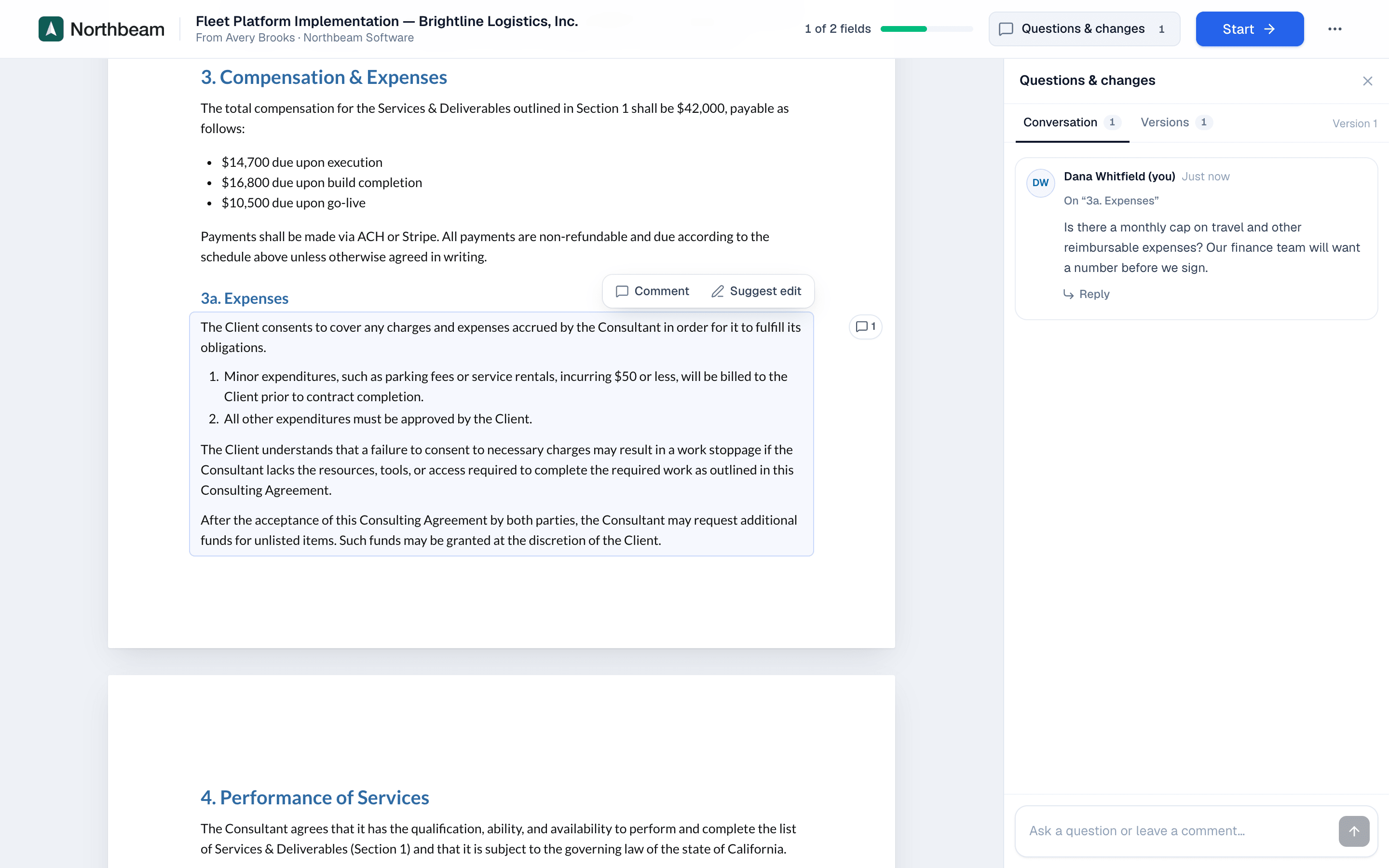
On the signing page, the customer opens Questions & changes. The panel has two tabs: Conversation and Versions.

- The customer clicks a paragraph. A small toolbar appears with Comment and Suggest edit.
- They choose Comment, type the question and send it.
- The question appears in the conversation, marked with the section it's about.

Reply to the customer
You get an email for each new message. Open the document and choose the Questions & changes tab.
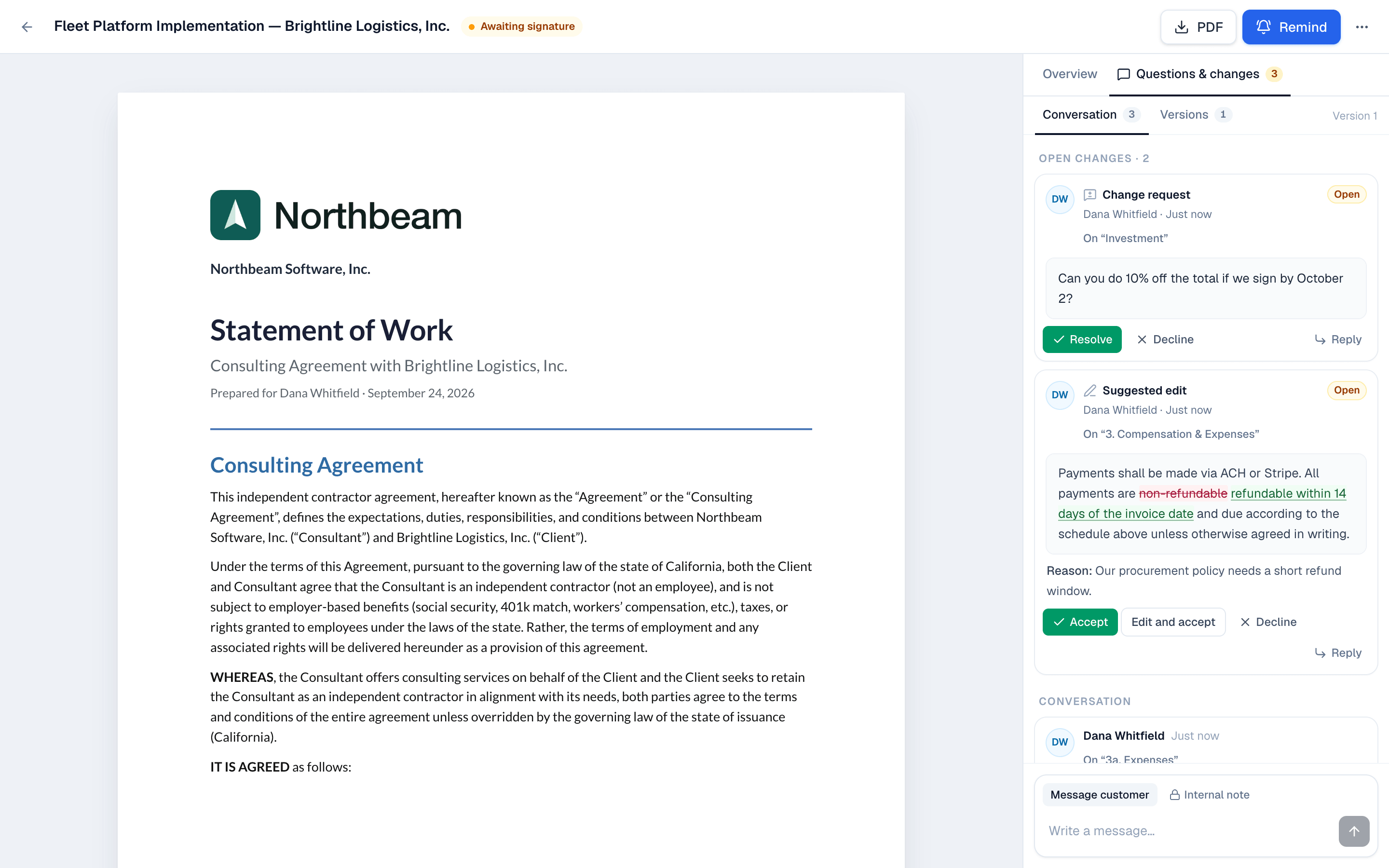
- Choose Reply under the customer's message.
- Type your answer and send it. The customer gets an email and sees the reply on the signing page.
Internal notes
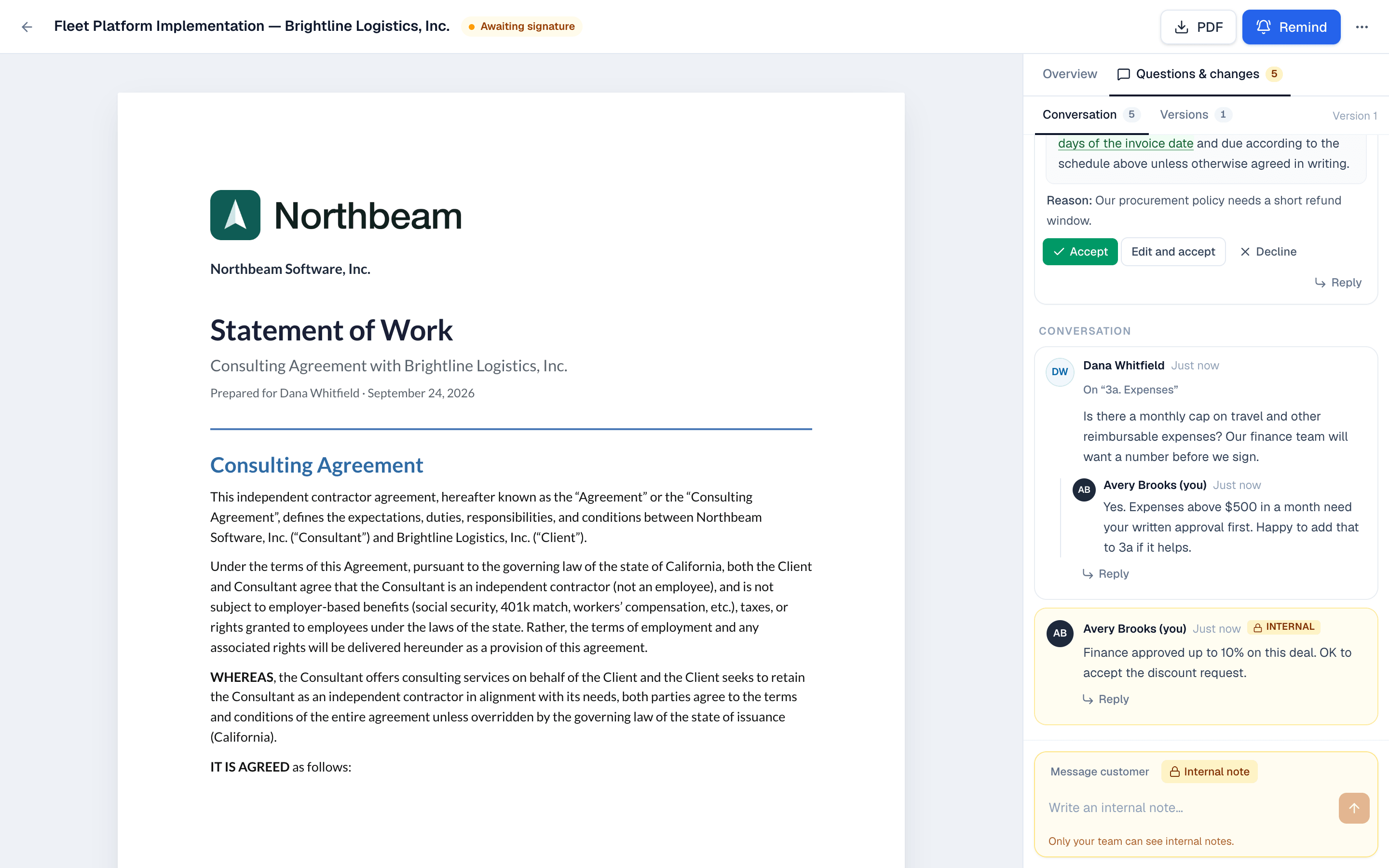
Internal notes are for your team only. Customers never see them.
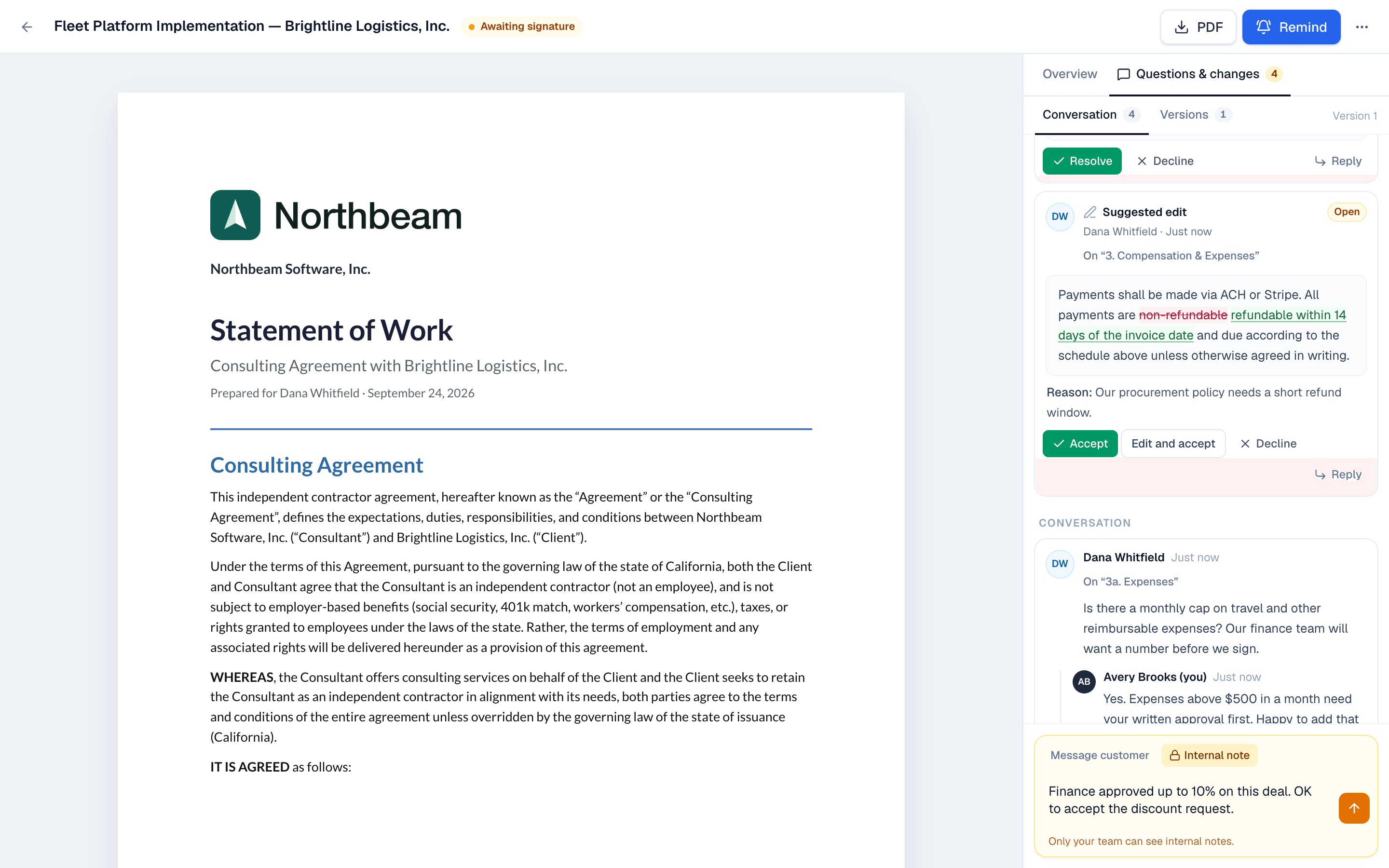
- At the bottom of the tab, switch the composer from Message customer to Internal note. It turns yellow.
- Write the note and send it.
On the website: No CRM needed·Pricing