After signing: field updates, Files and notifications
Update fields on the record, save the signed PDF to Files and notify the sender, automatically.
4 sections · 3 screenshots
Field updates
In the template's Salesforce tab, each stage can update fields on the record:
- After sending, for example set Quote Status to Presented.
- After signing, for example set Status to Accepted.
- If declined, for example set Status to Denied.
Choose Update a field on the quote to add one. Values can be fixed, or one of Date sent, Date signed, Link to the document and Decline reason.

Save the signed PDF to Files
Turn on Save the signed PDF to the quote. The PDF, with its certificate of completion, is added to the record's Files as soon as everyone has signed.
Notify the sender
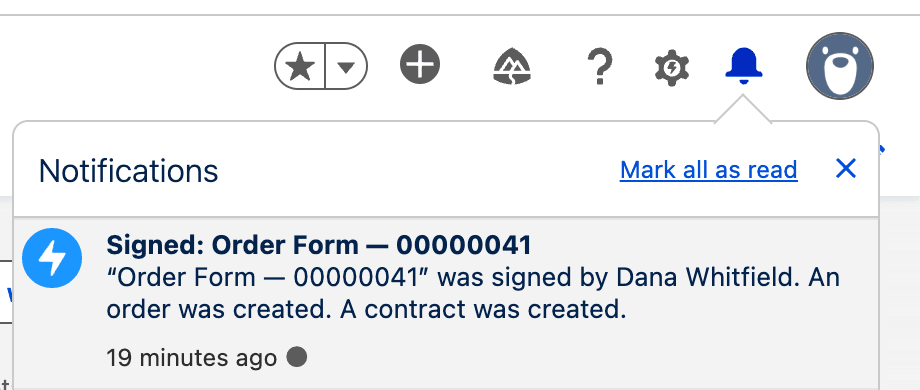
Turn on Notify the sender to send a Salesforce bell notification when the document is sent, signed or declined. It links to the record, and says when an order or contract was created.
Where results are logged
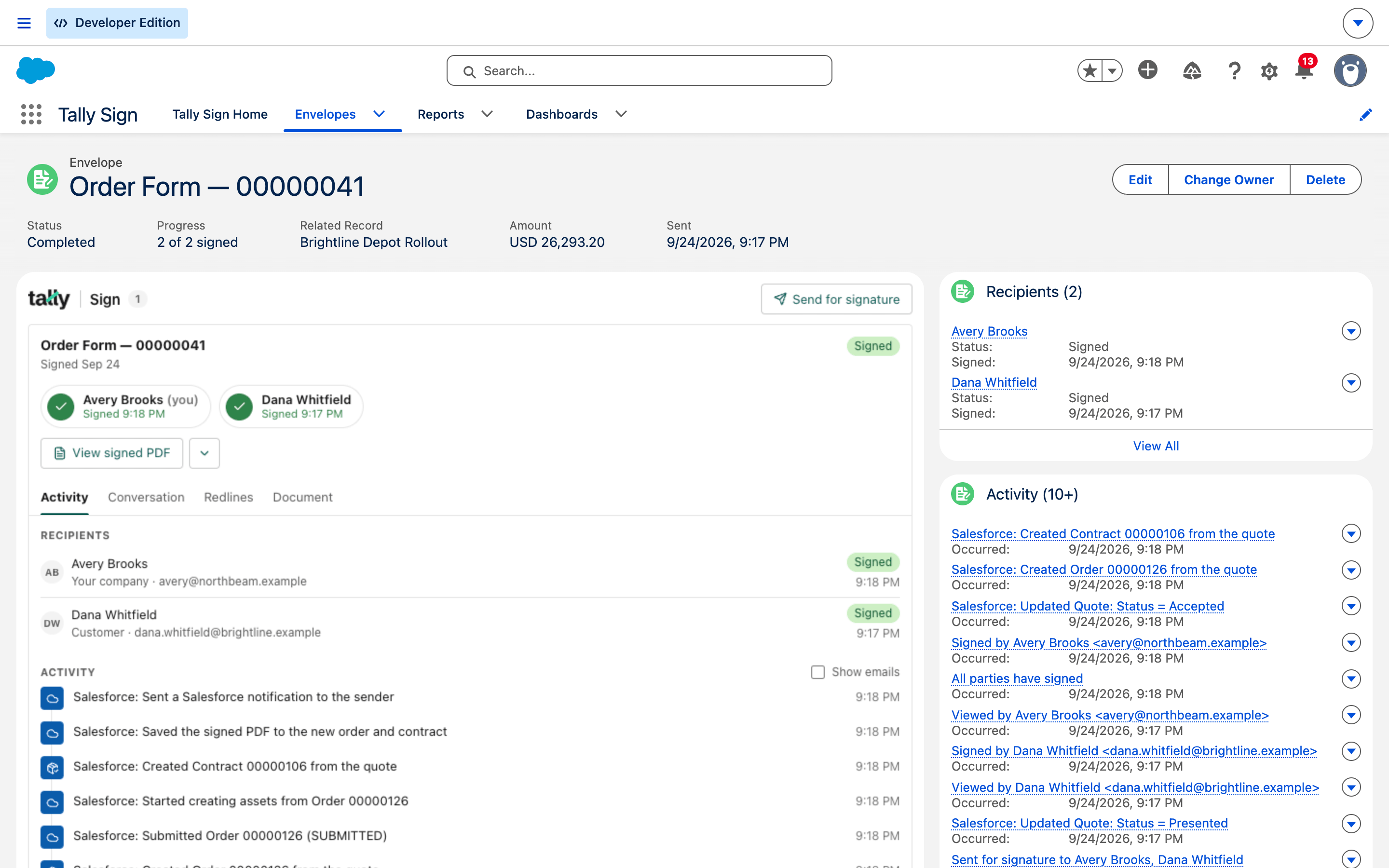
Every step is written to the envelope's activity, visible in the component's Activity tab and on the Envelope record.
On the website: Any object·Pricing