The quote-to-cash setup wizard
Eight steps from connecting Revenue Cloud to your first signed order form.
9 sections · 11 screenshots
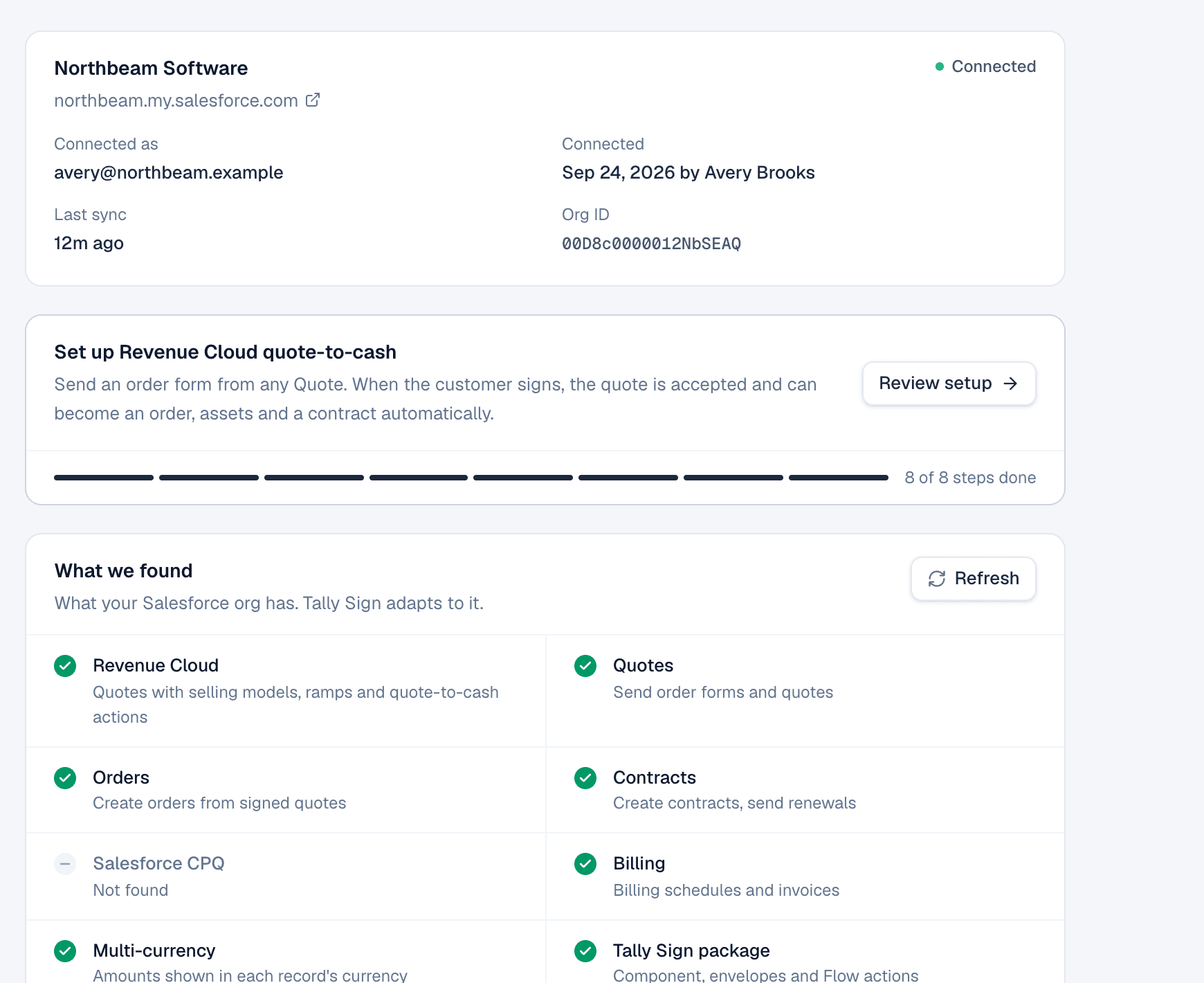
When Tally Sign finds Revenue Cloud in your org, Settings → Salesforce shows Set up Revenue Cloud quote-to-cash. The wizard walks through everything an order form needs. You can leave at any step and continue later; the progress bar remembers where you were.
Start the wizard
- Open Settings → Salesforce.
- In Set up Revenue Cloud quote-to-cash, choose Start setup.
1. What we found
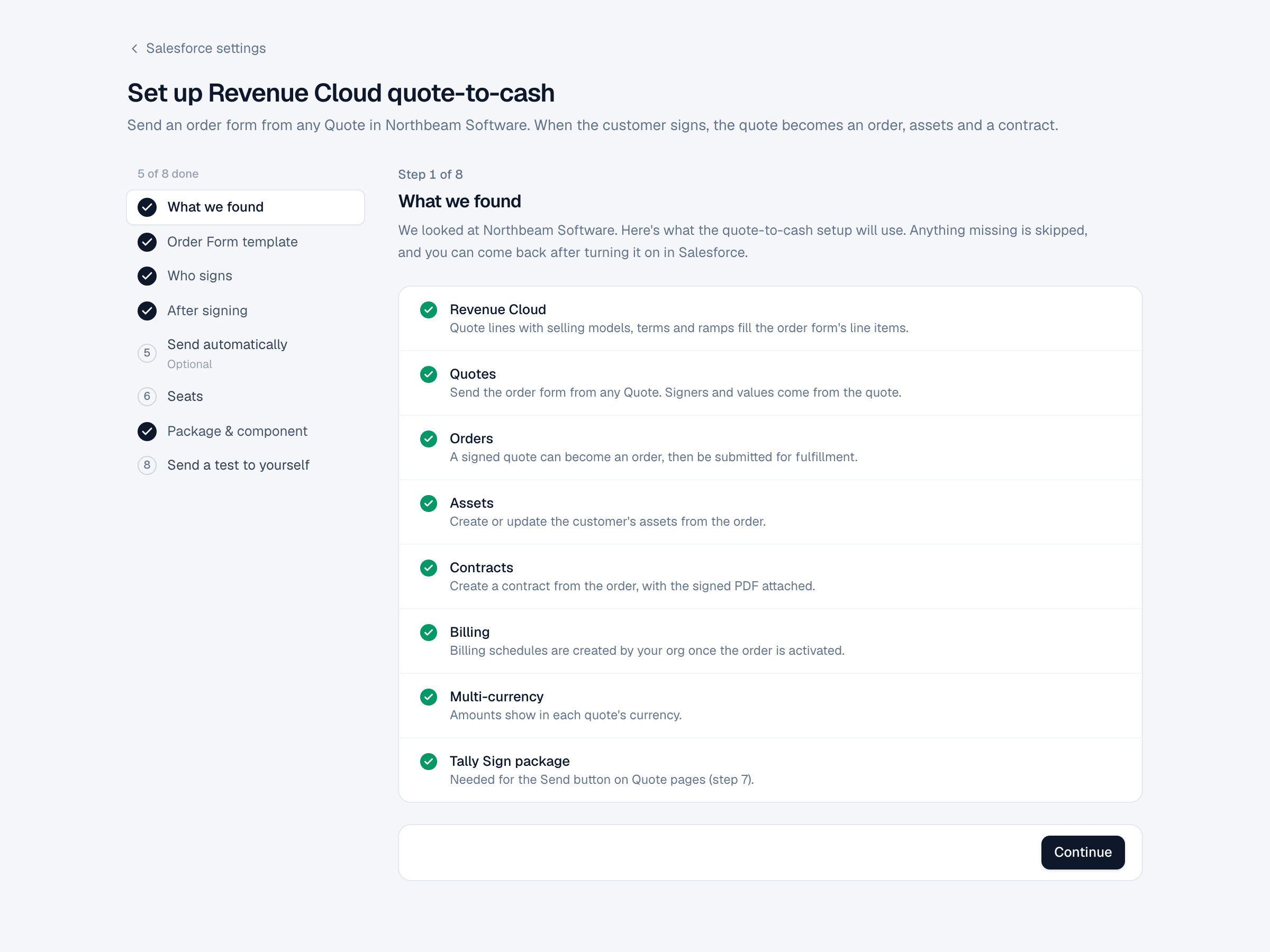
A checklist of what the setup will use: Revenue Cloud, Quotes, Orders, Assets, Contracts, Billing, Multi-currency and the Tally Sign package. Anything missing is skipped. Turn it on in Salesforce and come back.
2. Order Form template
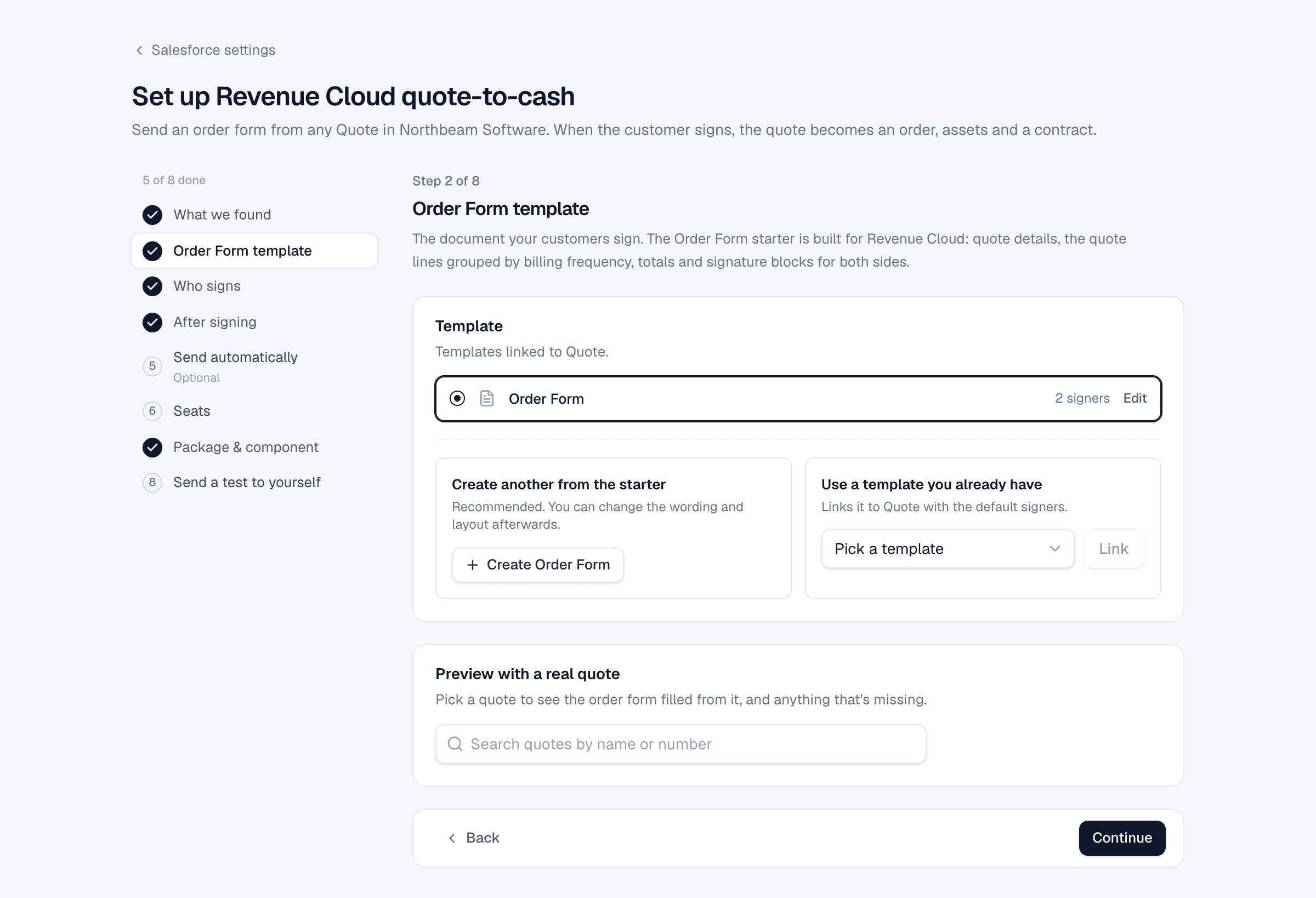
Pick the document your customers sign. Create Order Form makes one from the Order Form starter: quote details, quote lines grouped by billing frequency, totals and signature blocks for both sides. Or link a template you already have with Use a template you already have.
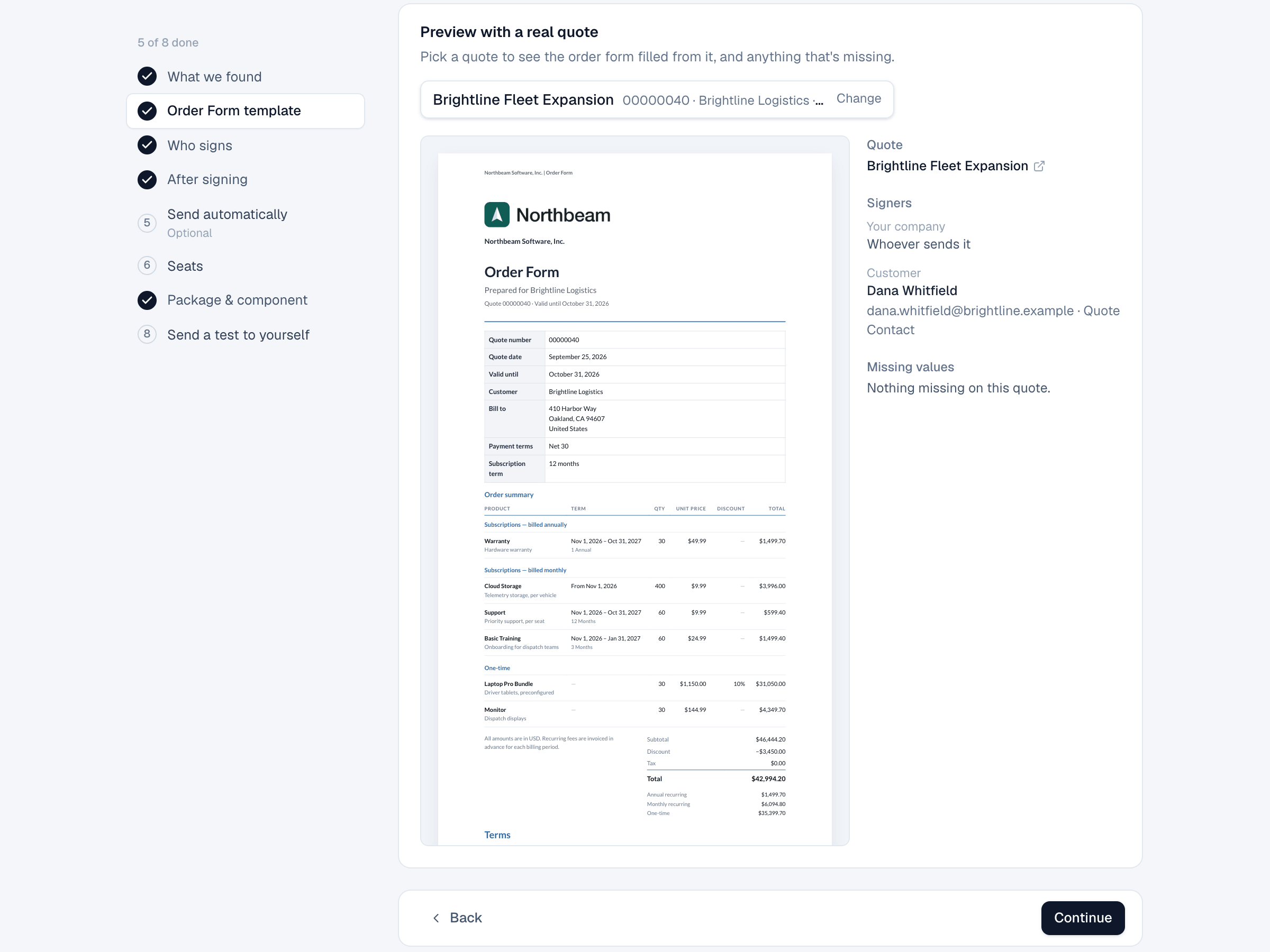
Under Preview with a real quote, search for a quote. The order form fills from it, and the side panel lists the signers found and any missing values.
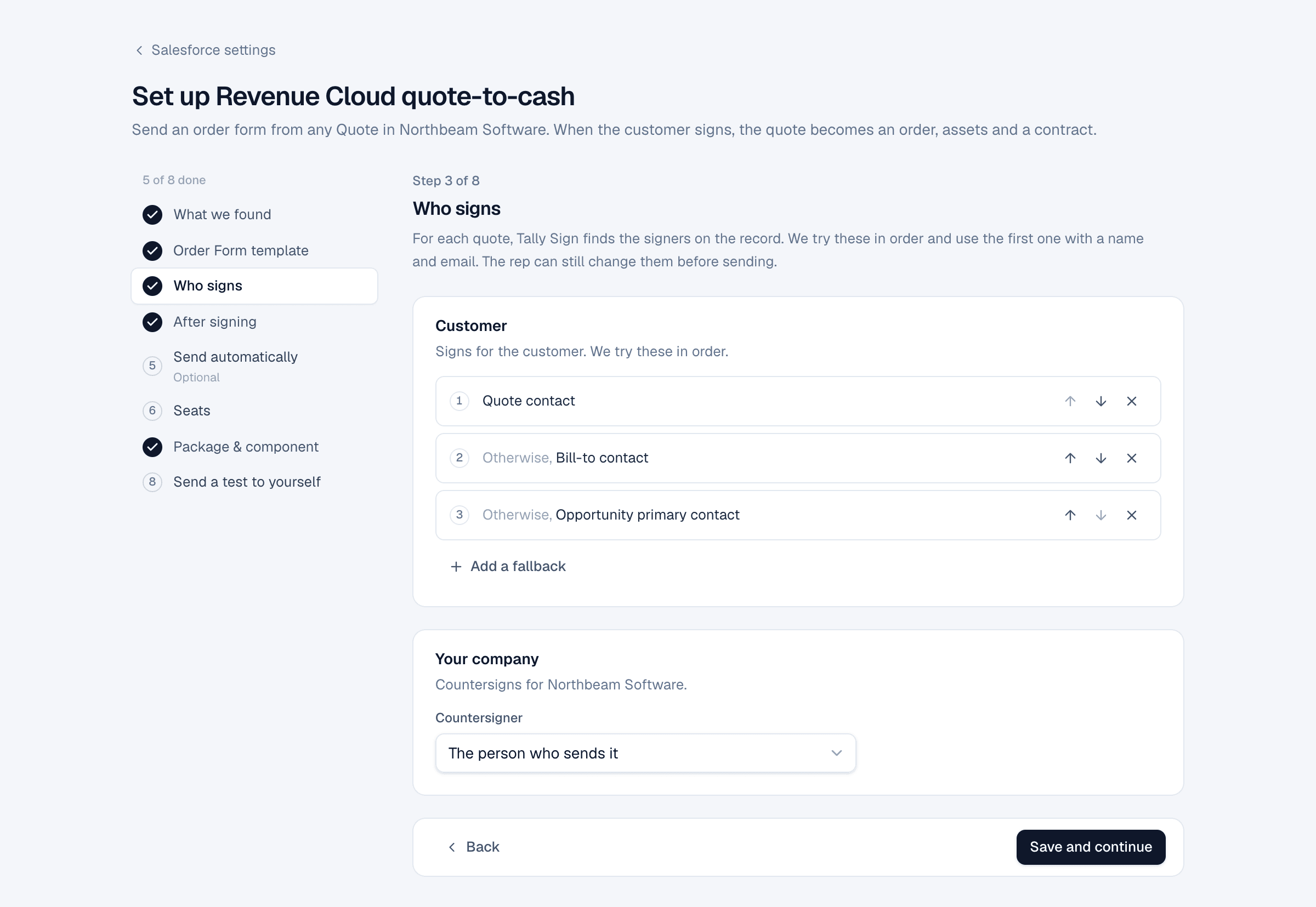
3. Who signs
Choose where to find the customer signer, in order. The default is Quote contact, otherwise Bill-to contact, otherwise Opportunity primary contact. Then choose who countersigns for your company: The person who sends it, Quote owner, Quote owner's manager or A specific person.
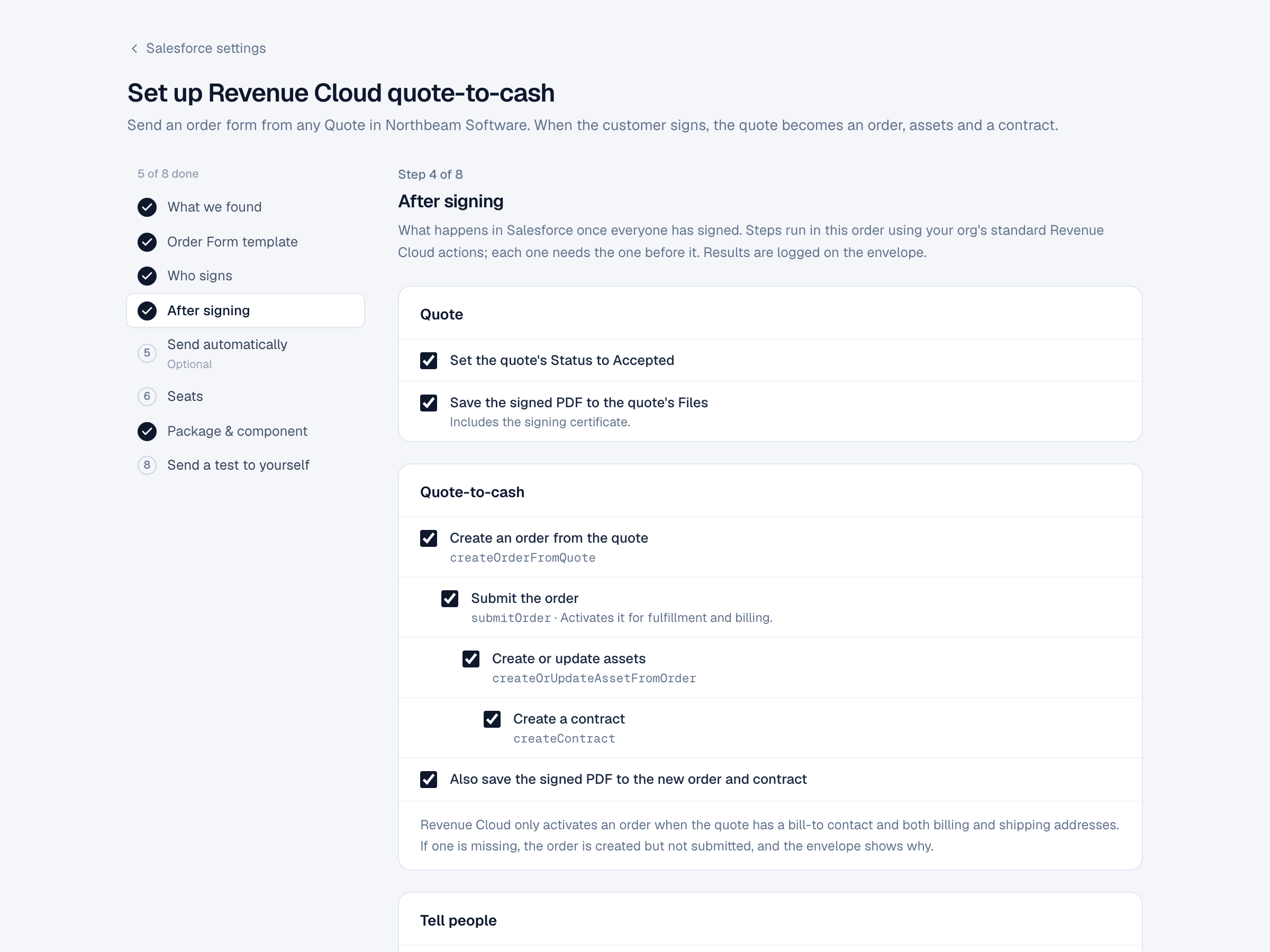
4. After signing
Choose what happens in Salesforce once everyone has signed. Steps run in this order and each needs the one before it:
| Option | Salesforce action |
|---|---|
| Set the quote's Status to Accepted | Field update |
| Save the signed PDF to the quote's Files | File upload, with the certificate |
| Create an order from the quote | createOrderFromQuote |
| Submit the order | submitOrder. Activates it for fulfillment and billing |
| Create or update assets | createOrUpdateAssetFromOrder |
| Create a contract | createContract |
| Also save the signed PDF to the new order and contract | File upload |
| Notify the sender in Salesforce | Bell notification |
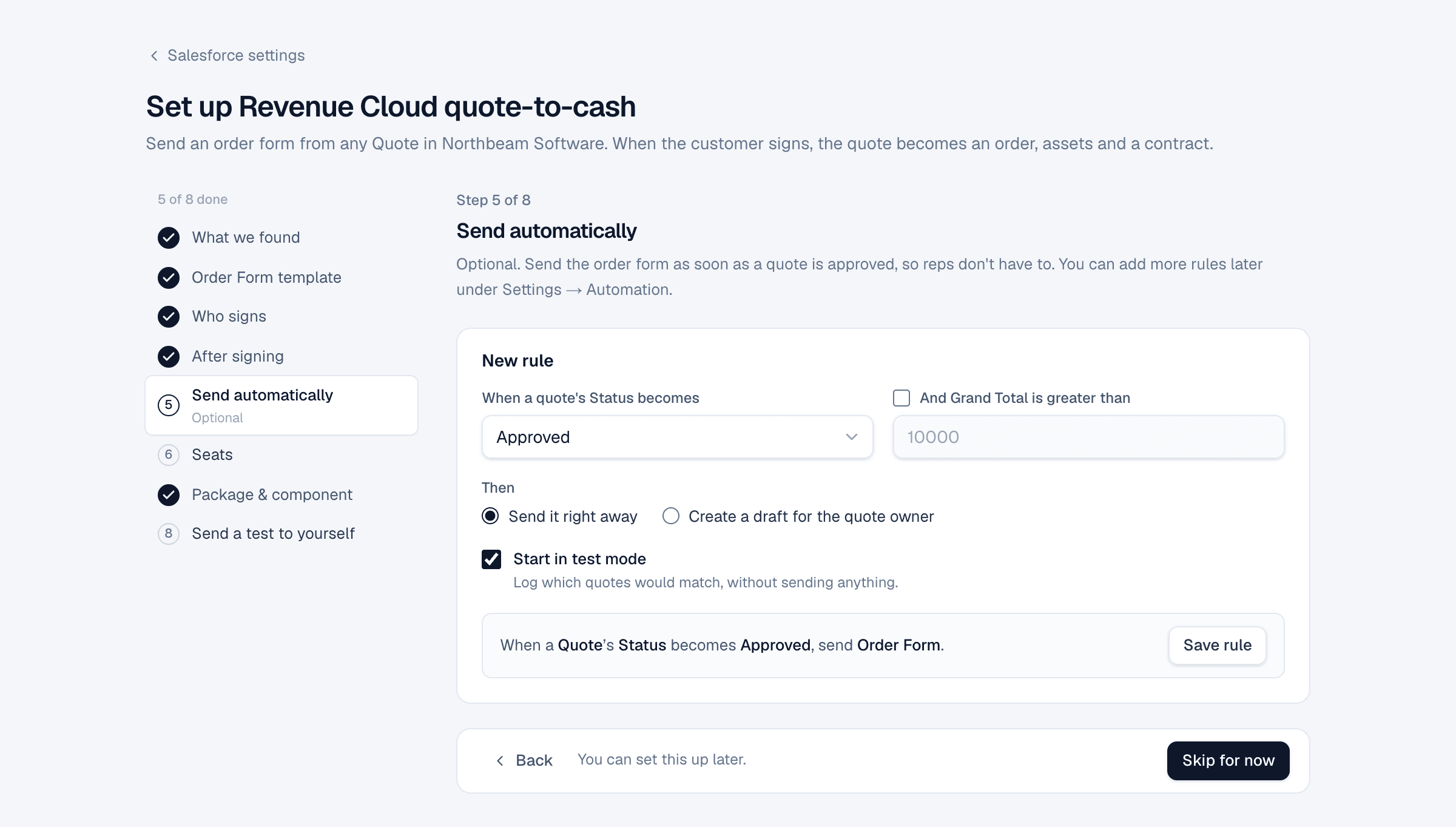
5. Send automatically (optional)
Create a rule that sends the order form when a quote's Status becomes Approved, optionally only above a Grand Total. Choose Send it right away or Create a draft for the quote owner. New rules start in test mode.
After Save rule, turn it on with the switch. Tally Sign deploys a Flow to your org, which takes up to a minute.
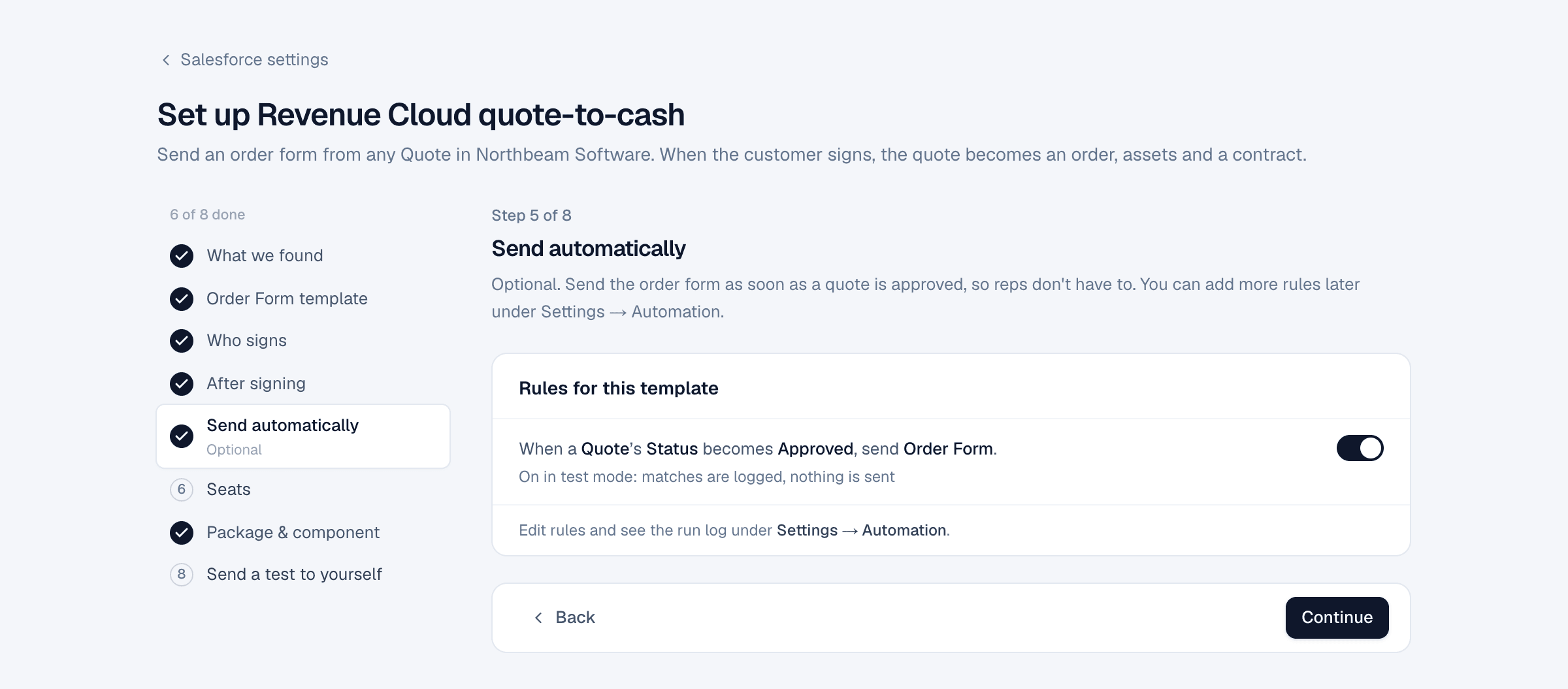
More in Automation rules.
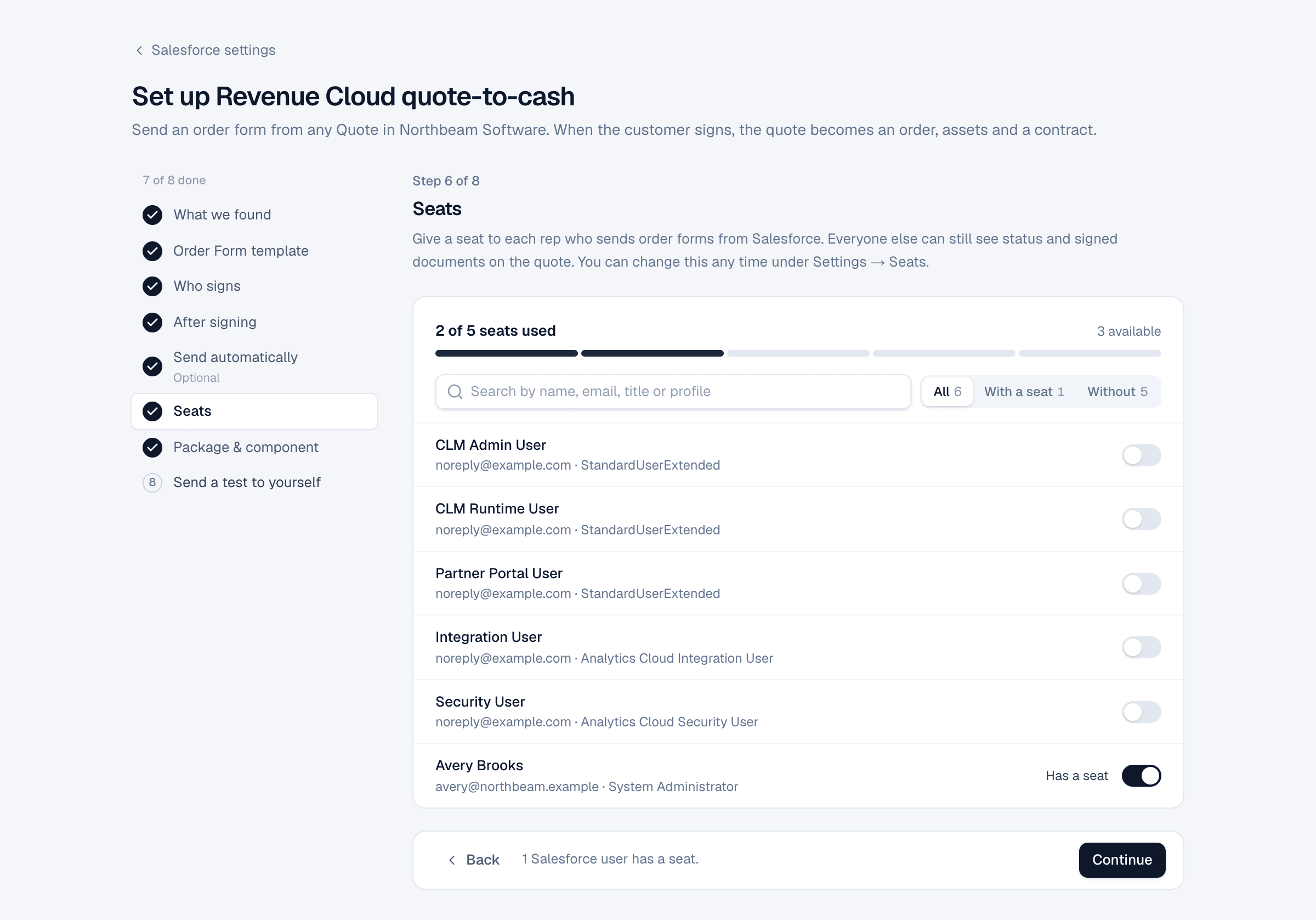
6. Seats
Give a seat to each rep who sends order forms from Salesforce. Everyone else can still see status and signed documents on the quote.
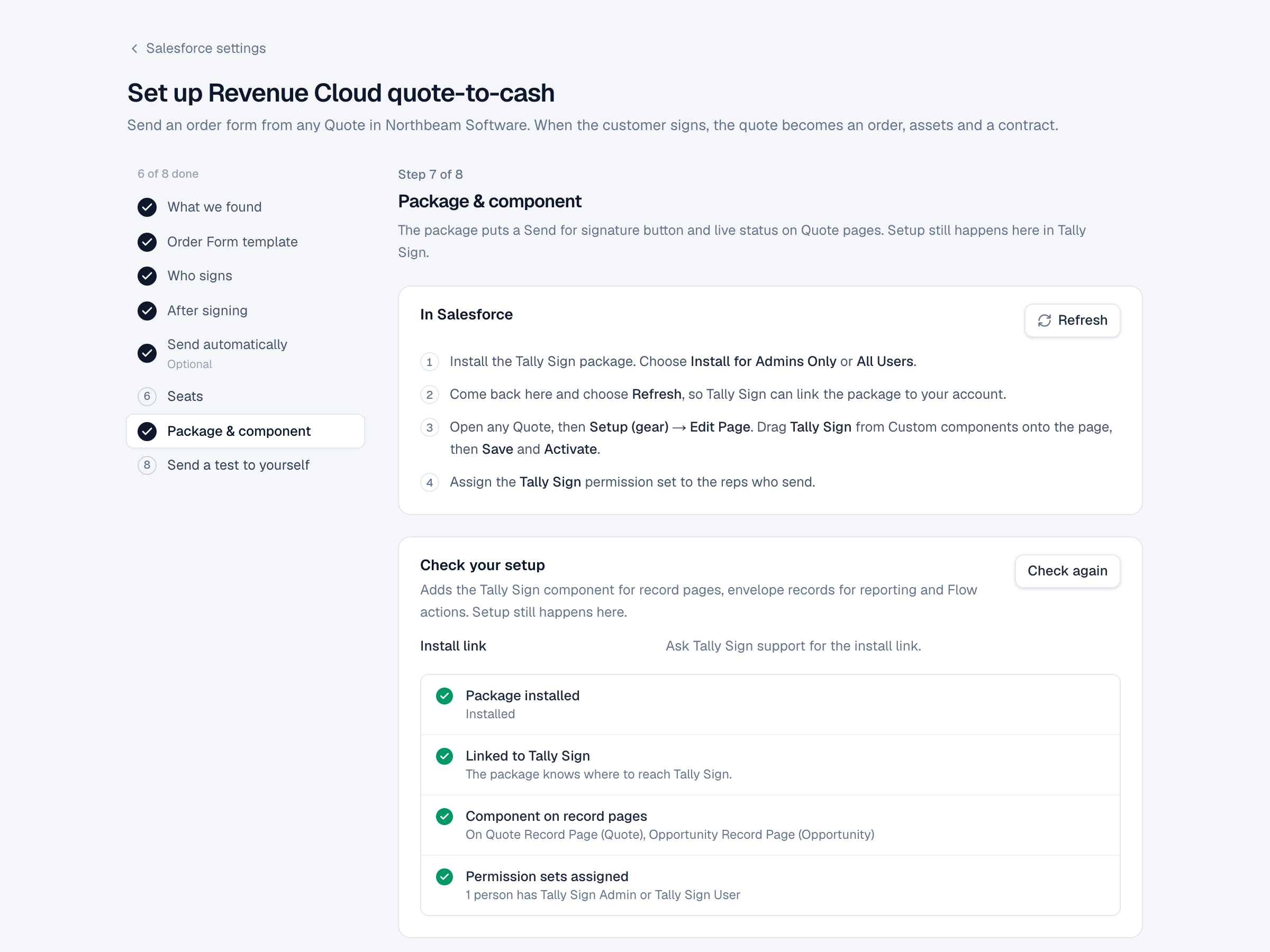
7. Package & component
Install the package, choose Refresh, put Tally Sign on the Quote page and assign the permission sets. Check again confirms each item. Details are in Install the package and add the component.
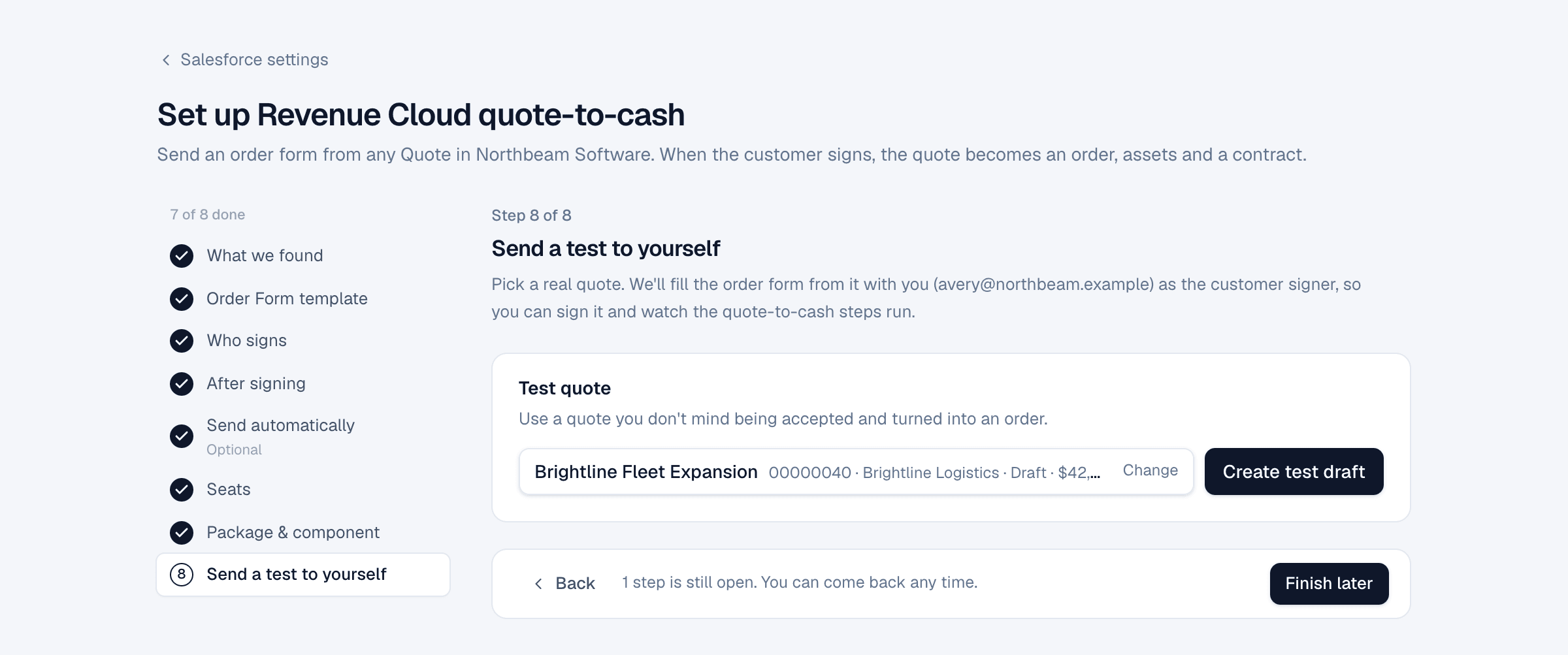
8. Send a test to yourself
Pick a quote you don't mind being accepted and turned into an order. Create test draft fills the order form with you as the customer signer, so you can sign it and watch every step run.
On the website: Revenue Cloud Advanced·Pricing