Connect Salesforce
Sign in once as a Salesforce admin. Tally Sign checks what your org has and adapts to it.
3 sections · 2 screenshots
All setup happens in Tally Sign. Connecting takes one sign-in. It works with Revenue Cloud quotes, Sales Cloud opportunities, orders and contracts, and Salesforce CPQ quotes. Nothing changes for documents you send from Tally Sign itself.
Connect your org
Only owners and admins can connect Salesforce. Sign in to Salesforce as an admin, or as a dedicated integration user.
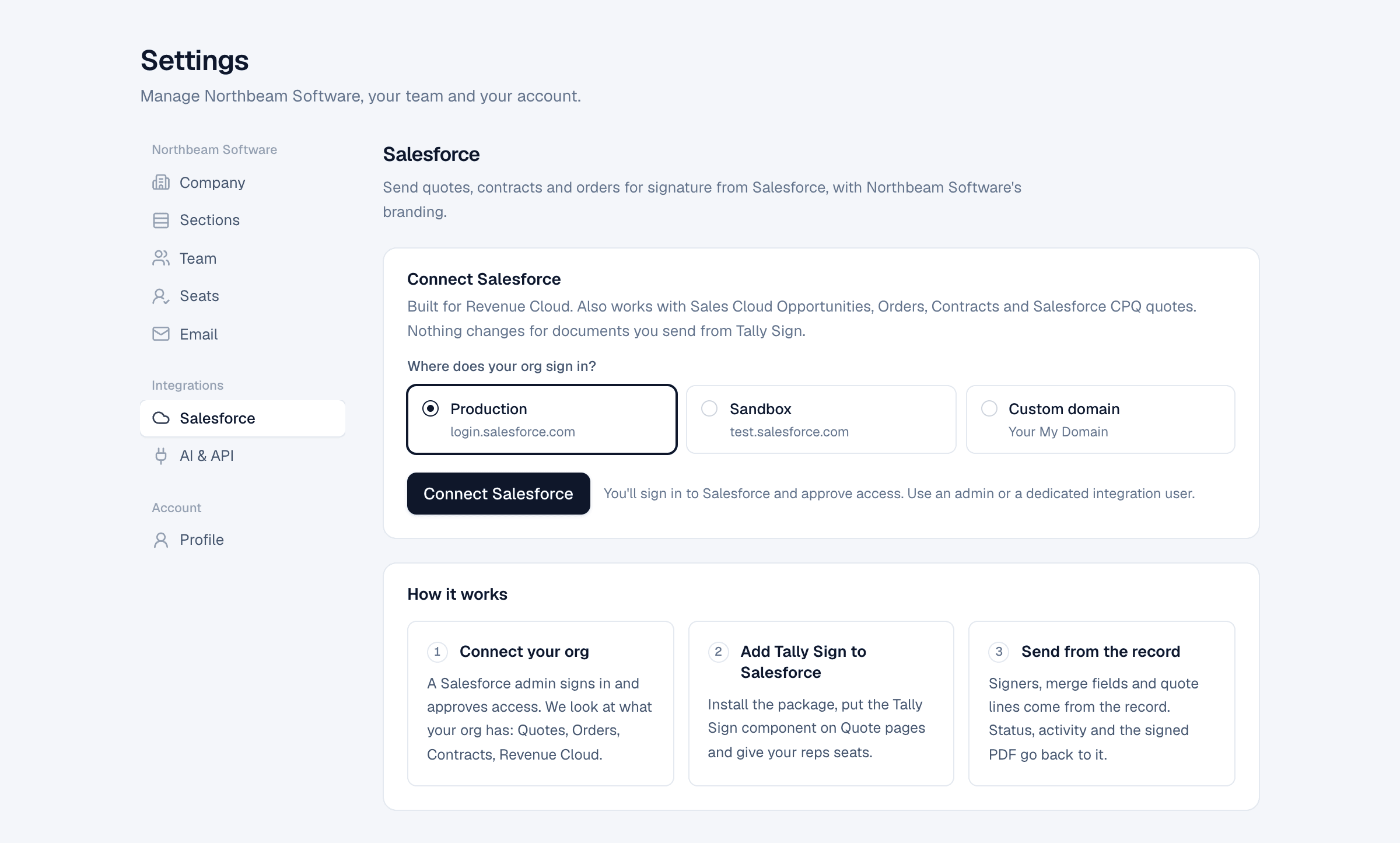
- In Tally Sign, open Settings → Salesforce.
- Under Where does your org sign in?, choose Production, Sandbox or Custom domain. For a custom domain, enter your My Domain, for example
northbeam.my.salesforce.com. - Choose Connect Salesforce.
- Sign in to Salesforce and choose Allow.
- You're sent back to Tally Sign, which shows Connected.
What we found
After connecting, Tally Sign looks at your org and lists what it found: Revenue Cloud, Quotes, Orders, Contracts, Salesforce CPQ, Billing, Multi-currency and the Tally Sign package. Features your org doesn't have are skipped.
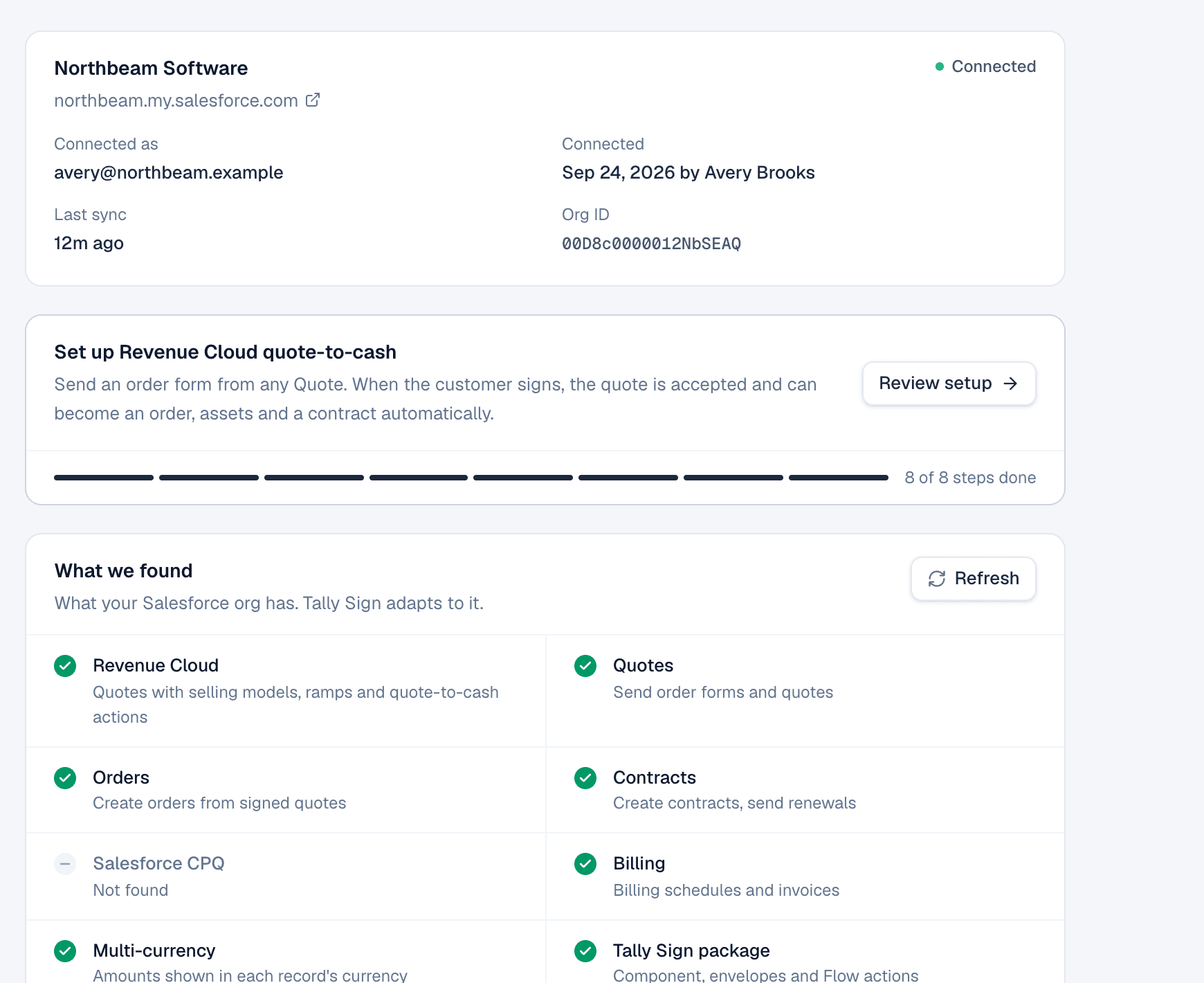
- Connected as shows the Salesforce user Tally Sign works as.
- Last sync shows when Tally Sign last wrote to Salesforce.
- Choose Refresh after you turn something on in Salesforce, or after installing the package.
If the connection stops working
If Tally Sign can't reach Salesforce, the panel shows Not working with the reason and a Reconnect button. Nothing is sent or synced until you reconnect.
Disconnect at the bottom of the page stops sending from Salesforce and syncing back. Documents already sent can still be signed. Your templates and settings are kept if you connect again.
On the website: Any object·Pricing