Pricing table: ramps, groups, recurring and one-time charges, amendments
How the pricing table turns Revenue Cloud quote lines into a clear order summary.
5 sections · 4 screenshots
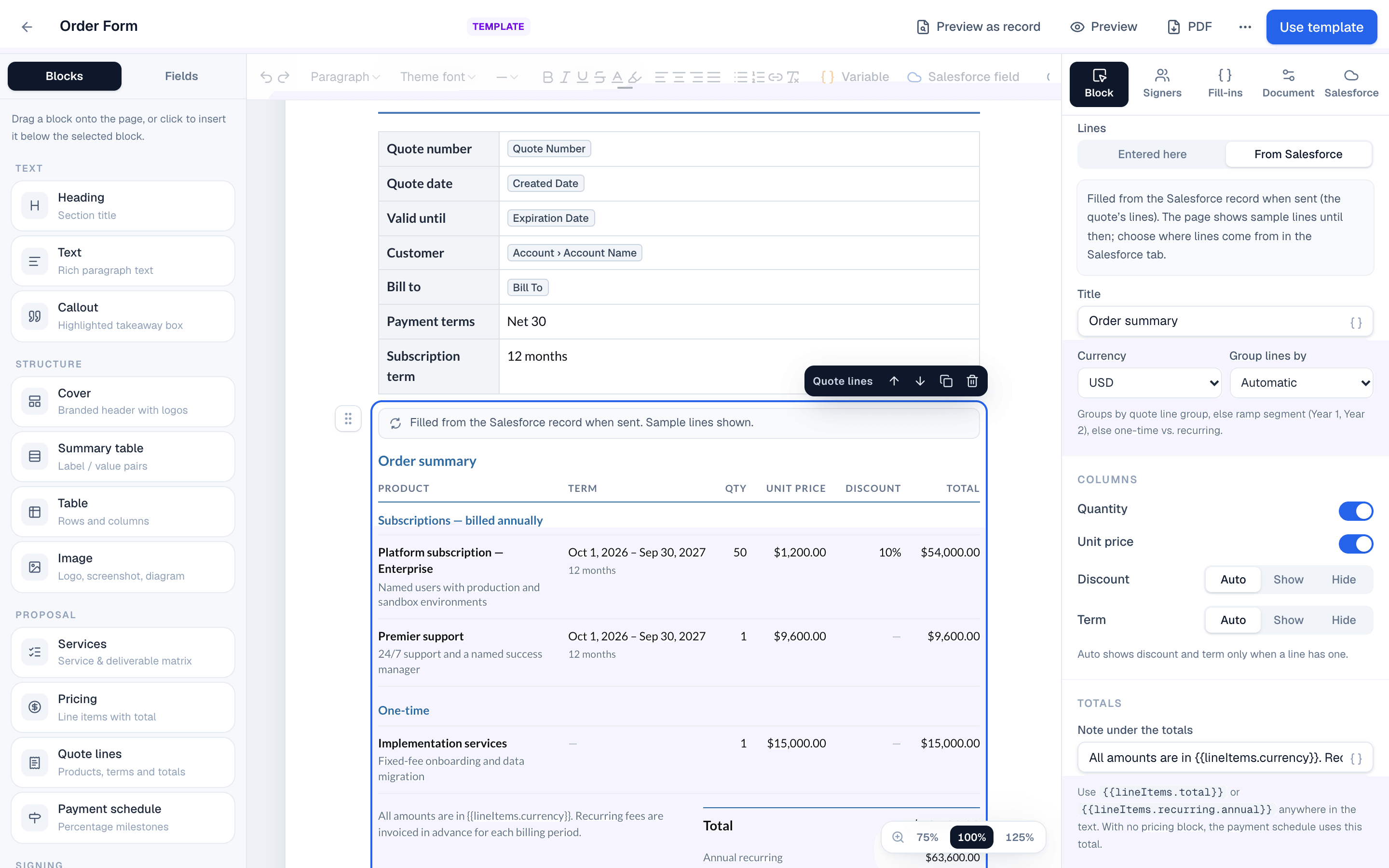
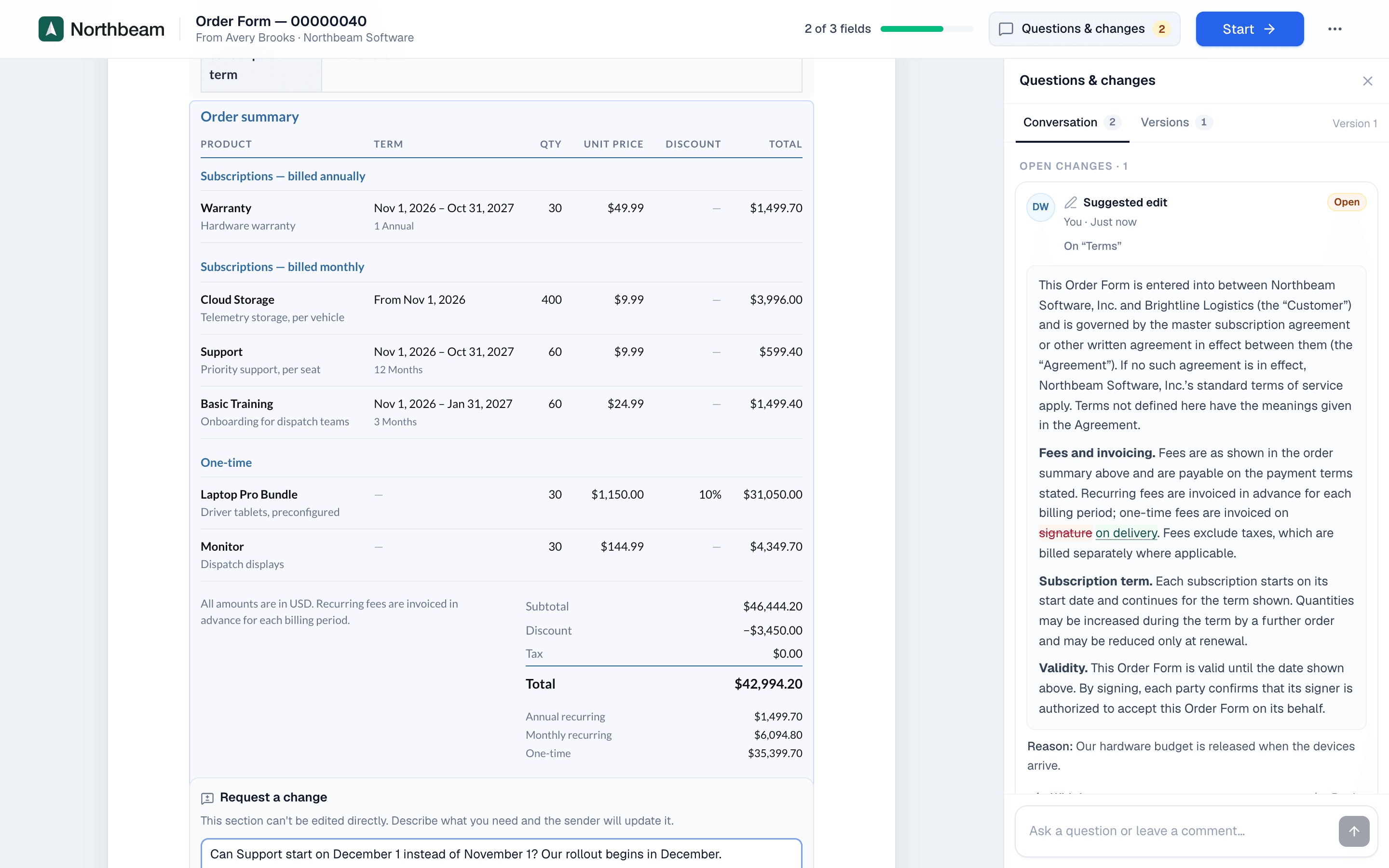
The Pricing table block lists products, terms and totals. On a template linked to Quote, it fills from the quote's lines when the document is created.
The pricing table block
Add it from Blocks → Pricing table, or type / and choose it. Select it to see its settings in the Block tab. Set Lines to From Salesforce so it fills from the quote.
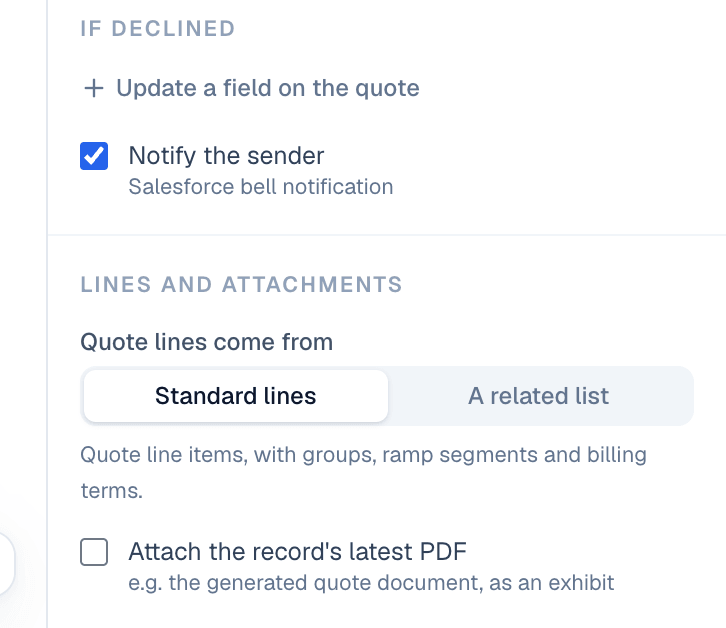
Recurring and one-time charges
Each line gets a frequency from its selling model and billing frequency:
| On the quote line | On the order form |
|---|---|
| Selling model One Time | One-time |
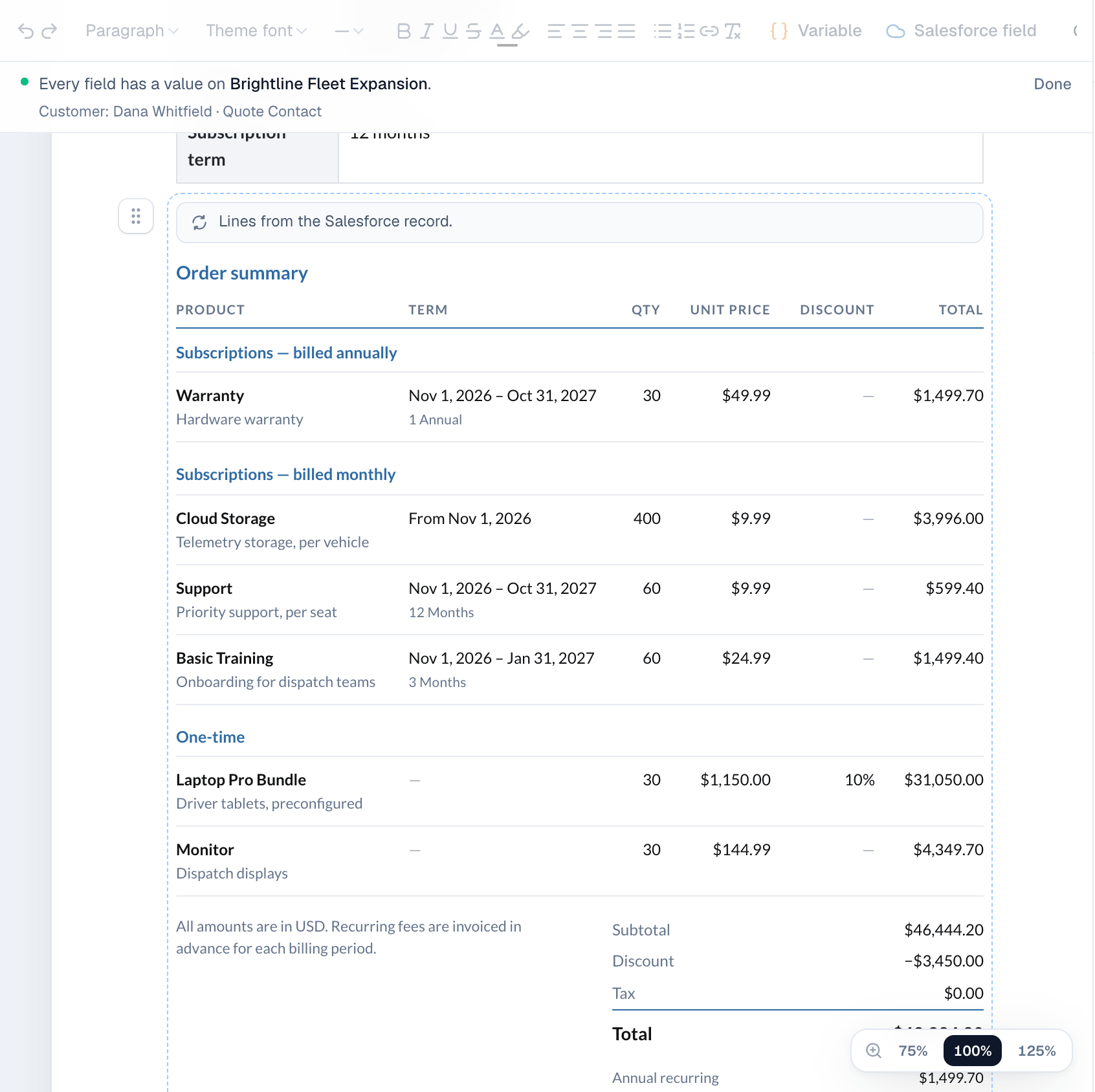
| Billing frequency Monthly, Quarterly, Semiannual, Annual | Subscriptions — billed monthly, and so on |
| Selling model Usage | Usage — billed as used |
| Blank | One-time |
Start and end dates show as the line's term, for example Nov 1, 2026 – Oct 31, 2027. Evergreen lines show From Nov 1, 2026.
Groups and ramps
Group lines by controls the sections of the table:
- Automatic: by quote line group if the quote has groups, otherwise by ramp segment (Year 1, Year 2), otherwise one-time vs. recurring.
- Quote line group: the groups from the quote.
- Ramp segment: one section per segment, for multi-year ramp deals.
- Billing frequency: recurring sections first, then one-time.
- No grouping: one list.
Each section shows a subtotal. Discount and term columns appear only when a line has them.
Amendments and renewals
Lines from amendment and renewal quotes keep their action: Add, Amend, Renew or Cancel. The action is shown next to the product so the customer sees what changes.
Totals
The totals come from the quote: Subtotal, Discount, Tax and Total (Grand Total). Add a note under the totals, for example All amounts are in USD. Recurring fees are invoiced in advance for each billing period.
On the website: Revenue Cloud Advanced·Pricing